 App
Convert, the currency converter app
Currencies, units, and precious metals in one app, with a built-in calculator. The latest rates stay available offline.
 Android · coming soon
Scan to install
The link opens the right store for your phone.
Built to convert in a few seconds
-
Offline
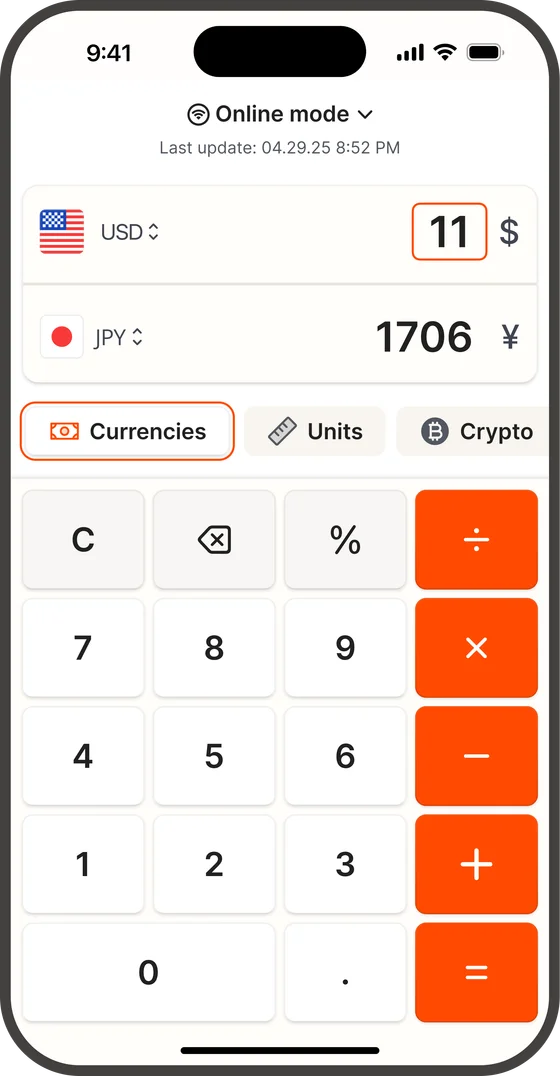
The app keeps the latest rates it downloaded, so it works on a plane or abroad without data. The date of the last update stays on screen.
-
Built-in calculator
The keypad is a real calculator. Type "12.50 + 8" and watch the total convert on the other line as you type.
-
Widget
Home Screen and Lock Screen widgets show an amount in several currencies without opening the app. They are part of Convert Pro.
-
Light or dark
The app follows your iPhone's appearance. You can also pick the light or dark theme in Settings.
Everything the app converts
-
161 currencies
From the dollar to the baht, at the mid-market rate, updated every day.
All currencies -
37 units
8 categories: length, weight, temperature, volume, speed, area, time, and data.
All units -
4 precious metals
Gold, silver, platinum, and palladium at today's price.
All metals
Free, with an optional Convert Pro upgrade
Currency conversion is free, with an ad banner at the bottom of the screen.
Convert Pro, an in-app purchase, unlocks units, precious metals, and the Home Screen and Lock Screen widgets, and removes the ads. Choose a weekly or yearly subscription, or a one-time lifetime purchase.
What about Android?
The Android version is in the works. In the meantime, every conversion the app offers is available free on this site, in your phone's browser.
Frequently asked questions
Is the Convert app free?
Yes. Currency conversion is free, with an ad banner. Convert Pro, an in-app purchase, unlocks units, precious metals, and the widgets, and removes the ads.
Does Convert work offline?
Yes. The app stores the latest rates it downloaded and uses them when you are offline. At the top of the screen it shows the current mode and the date of the last update.
Where do the exchange rates come from?
From a public feed of mid-market rates, published once a day: the same one this site uses. Banks and exchange offices add their own margin, so their prices can differ.
How many currencies does the app support?
161 currencies, 37 units in 8 categories, and 4 precious metals: gold, silver, platinum, and palladium.
Is Convert available on Android?
Not yet. The Android version is in the works. In the meantime, this site offers the same conversions in your phone's browser.
Which languages is the app available in?
English, French, and Spanish. It follows your iPhone's language, and you can change it in the app.
How do I add the widget?
Touch and hold an empty area of the Home Screen, tap Edit, then Add Widget, and search for Convert.